Quick Recovery Methods for Some Environments
PixPin
Shortcuts/Actions
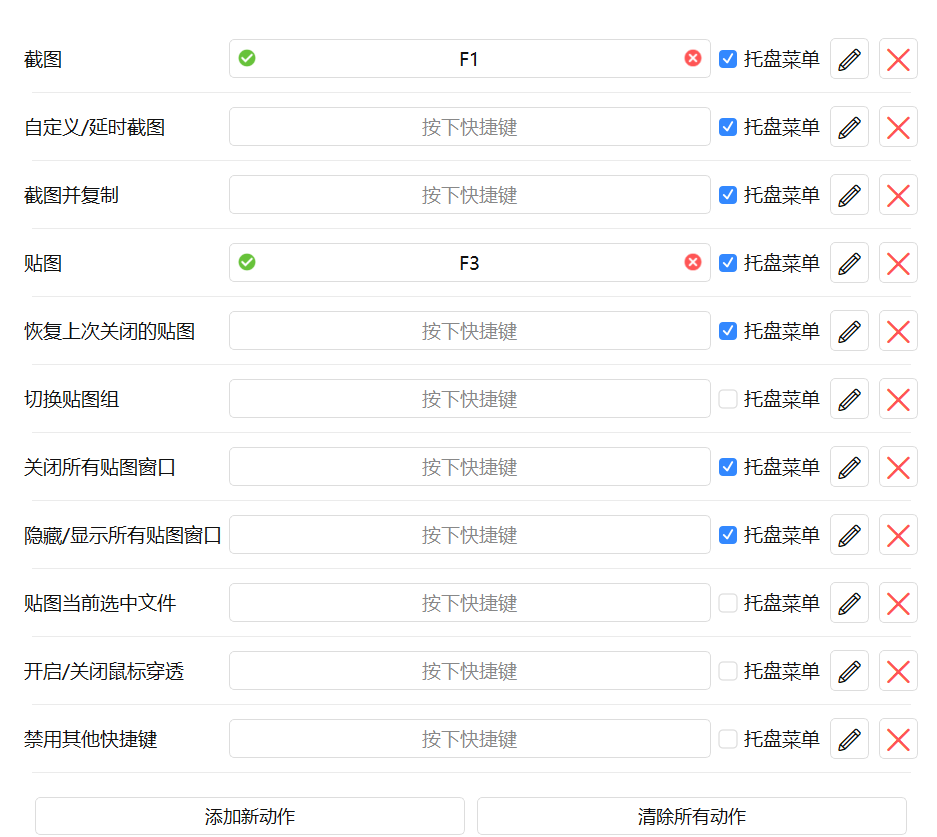
Built-in Shortcuts
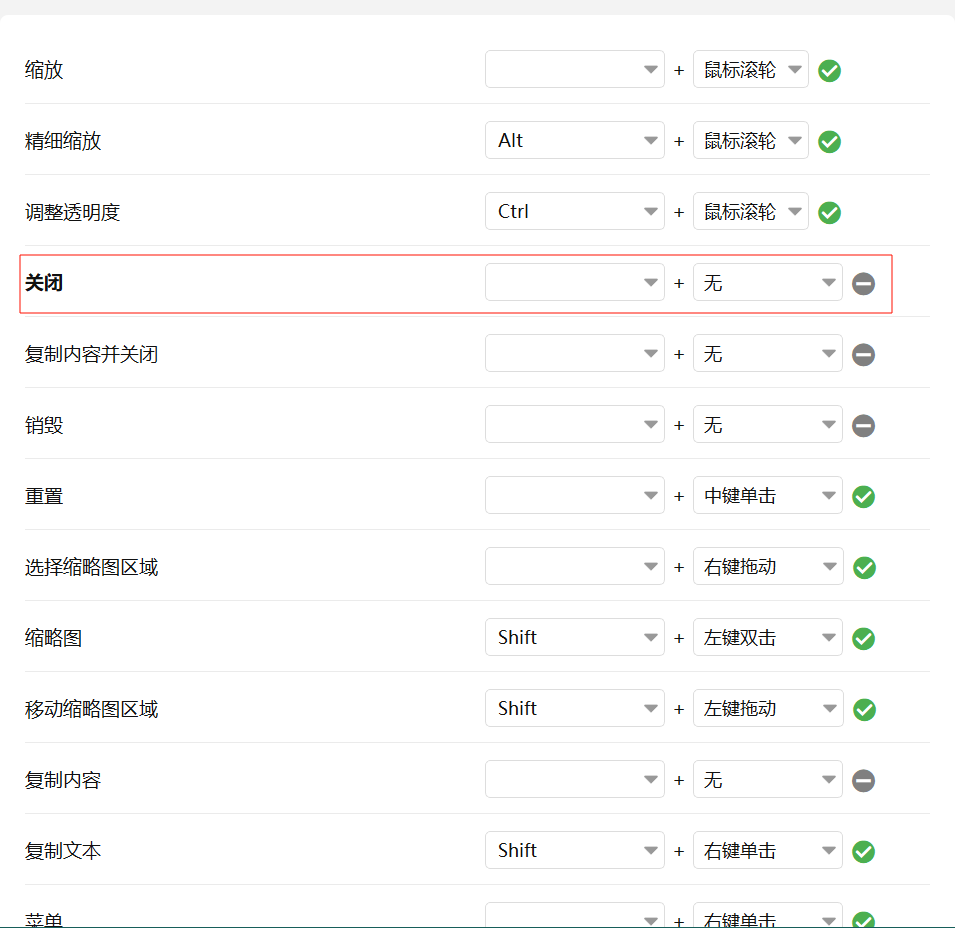
Development Environment Recovery After Reinstalling System
Recovery Script
sys-path-auto-configuration.ps1
# Must run as Administrator
$ErrorActionPreference = "Stop"

function Set-EnvIfNotExists {
    param (
        [string]$Name,
        [string]$Value
    )

    $current = [Environment]::GetEnvironmentVariable($Name, "Machine")
    if ($current -ne $Value) {
        Write-Host "Setting $Name = $Value"
        [Environment]::SetEnvironmentVariable($Name, $Value, "Machine")
    } else {
        Write-Host "$Name already set"
    }
}

function Add-ToPath {
    param (
        [string]$Dir
    )

    if (-not (Test-Path $Dir)) {
        Write-Warning "$Dir not exists, skipped"
        return
    }

    $path = [Environment]::GetEnvironmentVariable("Path", "Machine")
    if ($path -notlike "*$Dir*") {
        Write-Host "Add $Dir to PATH"
        [Environment]::SetEnvironmentVariable(
            "Path",
            "$path;$Dir",
            "Machine"
        )
    } else {
        Write-Host "$Dir already in PATH"
    }
}

# ===== JAVA =====
Set-EnvIfNotExists "JAVA_HOME" "D:\software\Java\jdk-21"
Add-ToPath "$env:JAVA_HOME\bin"

# ===== MAVEN =====
Set-EnvIfNotExists "MAVEN_HOME" "D:\software\apache-maven-3.8.7"
Add-ToPath "$env:MAVEN_HOME\bin"

# ===== GRADLE =====
Set-EnvIfNotExists "GRADLE_HOME" "D:\software\gradle-8.7"
Add-ToPath "$env:GRADLE_HOME\bin"

# ===== SCALA =====
Set-EnvIfNotExists "SCALA_HOME" "D:\software\scala"
Add-ToPath "$env:SCALA_HOME\bin"

# ===== PYTHON =====
Add-ToPath "D:\software\py3137"

Write-Host "All configuration done."
Recovery Check Script
sys-path-auto-check.ps1
# ================================
# Environment Validation Script
# ================================

$ErrorCount = 0

function Write-ErrorMsg {
    param($Message)
    Write-Host "[ERROR] $Message" -ForegroundColor Red
    $script:ErrorCount++
}

function Write-WarnMsg {
    param($Message)
    Write-Host "[WARN ] $Message" -ForegroundColor Yellow
}

function Write-OkMsg {
    param($Message)
    Write-Host "[ OK  ] $Message" -ForegroundColor Green
}

Write-Host "========================================"
Write-Host " Development Environment Validation"
Write-Host "========================================"

# -------- JAVA --------
if (-not $env:JAVA_HOME) {
    Write-ErrorMsg "JAVA_HOME is not set"
} elseif (-not (Test-Path "$env:JAVA_HOME\bin\java.exe")) {
    Write-ErrorMsg "JAVA_HOME invalid: $env:JAVA_HOME"
}

# -------- MAVEN --------
if (-not (Test-Path "$env:MAVEN_HOME\bin\mvn.cmd")) {
    Write-ErrorMsg "MAVEN_HOME invalid"
}

# -------- GRADLE --------
if (-not (Test-Path "$env:GRADLE_HOME\bin\gradle.bat")) {
    Write-ErrorMsg "GRADLE_HOME invalid"
}

# -------- SCALA --------
if (-not (Test-Path "$env:SCALA_HOME\bin\scala.bat")) {
    Write-WarnMsg "SCALA_HOME not configured correctly"
}

# -------- GIT --------
if (-not (Get-Command git -ErrorAction SilentlyContinue)) {
    Write-ErrorMsg "Git not found in PATH"
}

# -------- NODE / NVM --------
if (Get-Command nvm -ErrorAction SilentlyContinue) {
    if (-not (Get-Command node -ErrorAction SilentlyContinue)) {
        Write-WarnMsg "nvm installed but Node.js not activated"
    }
} else {
    Write-WarnMsg "nvm not found"
}

# -------- PYTHON --------
if (-not (Get-Command python -ErrorAction SilentlyContinue)) {
    Write-WarnMsg "Python not found in PATH"
}

# -------- RESULT --------
Write-Host "----------------------------------------"

if ($ErrorCount -eq 0) {
    Write-OkMsg "Environment check passed"
} else {
    Write-ErrorMsg "Environment check failed ($ErrorCount error(s))"
}

Write-Host "========================================"
Anaconda Environment Recovery
- Run as Administrator
setx ANACONDA_HOME "D:\software\anaconda3" /M
setx PATH "$env:PATH;D:\software\anaconda3;D:\software\anaconda3\Scripts;D:\software\anaconda3\Library\bin" /M
check
conda --version
where conda
- Manually Register
jupyter kernel
# (ai-env) D:\project\backend\ai-learn>
python -m ipykernel install --user --name ai-env --display-name "Python (ai-env)"
- Configure
conda pathin VS Code
D:\software\anaconda3\Scripts\conda.exe